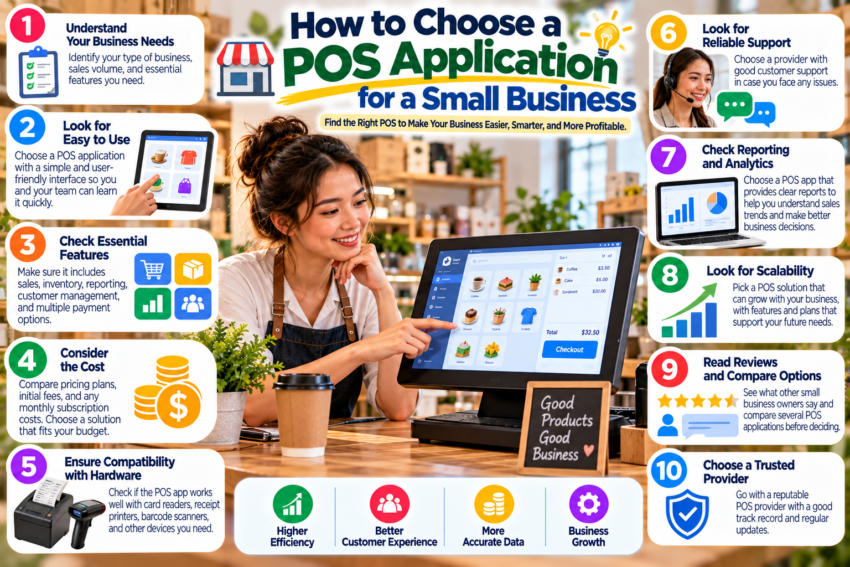
Choosing a POS application can feel surprisingly complicated.
One provider talks about inventory. Another emphasizes payments. A third offers loyalty programs, online ordering, employee management, and dozens of integrations.
Where should you start?
Start with your business—not the software.
Write Down Your Daily Tasks
Before comparing applications, list what happens during a normal day.
A small retail store might need to:
scan products, accept payments, print receipts, process returns, monitor inventory, and calculate daily sales.
A restaurant may care more about table management, menu modifications, kitchen orders, and split payments.
This exercise immediately makes comparison easier.
Separate Needs From Nice-to-Have Features
Create two groups.
The first contains essential features. Without them, the system will not work for your business.
The second contains optional features that would be useful but are not critical.
This prevents an impressive feature from distracting you from something essential.
Consider the Total Cost
Do not evaluate POS software using only its advertised monthly price.
Ask about payment processing fees, additional registers, hardware, premium features, support, integrations, installation, and contract requirements.
A low starting price can become considerably different once everything is included.
Test the Interface
A POS system may look excellent on a feature comparison page and still be frustrating to use.
If a trial or demonstration is available, perform realistic tasks.
Create a product. Process a sample order. Apply a discount. Find an old transaction. Imagine processing a refund while customers are waiting.
Can you understand the interface without constantly consulting a manual?
That matters.
Think About Growth
Your first store may have one register. What happens if you eventually need three?
You may later add employees, products, an online store, or another location.
You do not need to pay for every advanced feature today, but understanding the upgrade path can prevent an inconvenient migration later.
Choose carefully. Your POS application may become one of the tools your team uses most frequently.