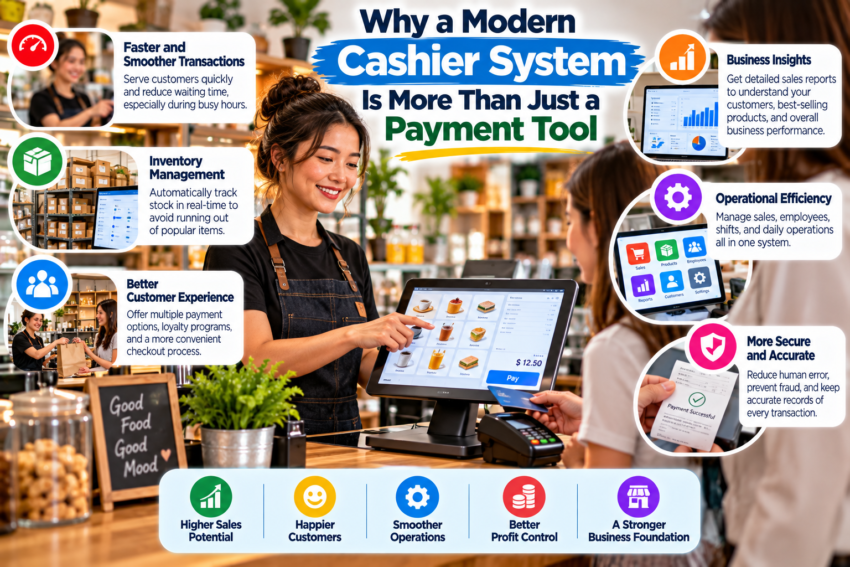
When people hear the words “cashier system,” they often imagine a screen, a barcode scanner, and a receipt printer. That description is not wrong, but it only tells a small part of the story.
A modern cashier system can sit at the center of daily business operations. It can record sales, update inventory, organize product information, track payment methods, and help managers understand what is happening in the store.
Think Beyond the Cash Register
Imagine running a small convenience store with hundreds of products. A customer buys milk, bread, coffee, and soap.
With a basic cash register, you record the total and accept payment. With a modern point-of-sale system, something more interesting happens behind the scenes.
The system can record exactly which products were sold, reduce their inventory quantities, save the transaction time, identify the payment method, and add the sale to the day’s reports.
One transaction produces useful business information.
Multiply that by hundreds of transactions, and the value becomes much clearer.
Faster Checkout Can Improve the Customer Experience
Nobody enjoys standing in a checkout line that barely moves.
A well-designed cashier system can make common tasks easier for employees. Products can be found through barcodes or search tools, totals are calculated automatically, and different payment methods can be processed through an organized workflow.
Speed is important, but accuracy matters just as much.
A checkout completed quickly but with the wrong price is not a good customer experience.
Inventory Becomes Easier to Understand
Inventory management is one of the most useful features found in many POS applications.
Suppose you started the week with 50 bottles of juice. If 35 are sold and every transaction is properly recorded, the system may show that only 15 remain.
That information can help you decide when to reorder.
It also makes an important question easier to answer:
“What is actually selling?”
Instead of relying entirely on memory, business owners can look at transaction data.
Reports Turn Transactions Into Information
A good cashier system should not simply collect data. It should make that data understandable.
For example, a business owner may want to know:
- Which products sold the most this week?
- What time of day generates the most sales?
- How much revenue came from different payment methods?
- Which products are rarely purchased?
These reports can support better decisions.
Choose Features You Will Actually Use
It is easy to become distracted by long feature lists when comparing POS software.
A small coffee shop and a large retail store do not necessarily need the same system.
Start with your actual workflow.
How many products do you sell? How many employees use the register? Do you need inventory tracking? Do you accept multiple payment methods? Do you operate more than one location?
The best cashier system is not automatically the one with the most features. It is the one that makes everyday operations easier.