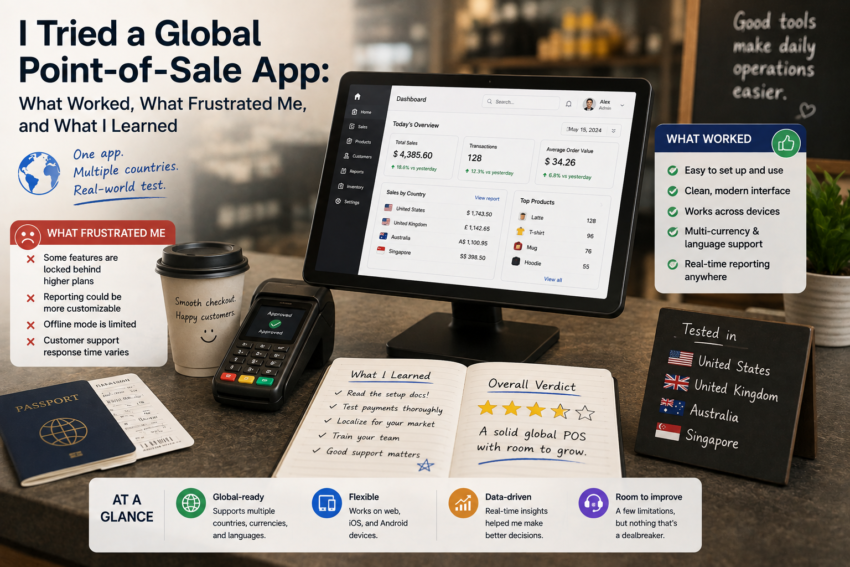
Point-of-sale software has become an important part of modern business. What used to be a simple cash register can now include inventory management, sales reporting, customer information, employee accounts, payment processing, and cloud-based access.
Curious about how these systems work in a real-world environment, I decided to try a modern POS application designed for businesses in different markets. I wanted to experience it as an everyday user rather than simply reading a list of features.
The experience was a mixture of convenience, learning curves, unexpected benefits, and a few frustrations.
Most importantly, it taught me that good POS software is not necessarily the one with the most features. It is the one that fits the actual needs of the business using it.
Getting Started Was Easier Than Expected
My first concern was setup.
I expected a global POS application to require complicated configuration because businesses in different countries can have different currencies, payment methods, tax rules, and operational requirements.
The initial setup was actually fairly straightforward.
I began by creating products, entering prices, organizing categories, and configuring basic checkout settings.
The process was not completely automatic, though.
I had to spend time making sure product information was accurate. This reminded me that software can make operations easier, but it cannot replace careful preparation.
A poorly configured POS system can still produce inaccurate information.
The Checkout Experience Worked Well
Once the basic setup was complete, I focused on the main purpose of the software: processing sales.
The checkout process felt much more organized than a traditional cash register.
Products could be searched or selected from categories, totals were calculated automatically, and transaction details were recorded.
After several practice transactions, the process became fairly natural.
The biggest advantage was consistency.
I did not need to manually calculate every transaction or remember the details of previous sales.
Inventory Management Was One of My Favorite Features
The inventory tools were probably the feature I appreciated most.
A POS system becomes much more useful when sales information and inventory information are connected.
After products were sold, inventory data could reflect the transactions based on the system configuration.
This helped me understand how quickly certain products were moving.
It also made it easier to think about reordering.
Instead of relying entirely on memory or manually checking every item, I could use the available information to identify products that needed attention.
Reports Turned Transactions Into Information
Another useful feature was reporting.
Before using modern POS software, I mostly thought about sales in terms of daily totals.
The POS application gave me more ways to look at the information.
I could review transaction history and examine sales patterns.
This helped me understand why reporting is more valuable when connected to actual decisions.
A report is not useful simply because it contains many numbers.
It becomes useful when those numbers answer questions.
Which products are selling?
When are sales strongest?
Are certain products underperforming?
Those were the questions I cared about most.
Cloud Access Was Convenient
The cloud-based nature of the application also provided flexibility.
Instead of keeping all information tied to one physical checkout device, relevant data could be accessed through supported devices and accounts.
This can be particularly useful for business owners who want to review information remotely.
However, convenience also introduced a new consideration: connectivity.
A cloud-dependent system requires reliable internet access and appropriate backup procedures.
This was one of the first areas where I realized that modern technology creates both benefits and responsibilities.
What Frustrated Me?
The biggest frustration was the learning curve.
Even though the basic checkout process was easy to understand, the application had many additional settings and features.
At first, I wanted to configure everything.
That was unnecessary.
The more settings I changed, the more complicated the system became.
Eventually, I returned to the basics and focused on the features that actually supported daily operations.
That made the experience much better.
Payment Configuration Required Attention
Payment processing was another area where I needed to be careful.
A global POS application may support multiple payment methods, but availability can depend on location, payment providers, hardware, and account configuration.
I learned not to assume that a feature advertised as available in one market would necessarily work identically everywhere.
Businesses should always check the specific payment options, fees, and requirements applicable to their location.
Employee Management Was Useful
Another feature I found practical was user management.
Having individual employee accounts can provide better accountability than allowing everyone to use the same login.
Different permissions can also help prevent accidental changes to important settings.
This feature became particularly valuable when I considered how POS software would work in a larger team.
I Learned Not to Chase Every Feature
The application offered many capabilities beyond basic checkout.
Some were interesting, but I quickly realized that using every available feature would not necessarily improve the workflow.
This became one of my biggest lessons.
More features do not automatically equal more value.
A small business may need a simple checkout and inventory system, while a larger operation may require advanced reporting, integrations, customer management, and employee controls.
The right setup depends on the business.
What I Would Do Differently
If I started again, I would spend more time planning before configuring the system.
I would prepare the product catalog, prices, categories, payment requirements, employee roles, and inventory information in advance.
I would also introduce advanced features gradually.
This would make training easier and reduce unnecessary complications.