In today’s competitive business environment, small businesses need efficient tools to manage daily operations. One of the most important tools is a cashier application, often known as a Point of Sale (POS) system. While large enterprises may have access to complex and expensive systems, small businesses require solutions that are simple, affordable, and easy to use.
Designing a user-friendly cashier application is essential because it directly affects transaction speed, employee productivity, and customer satisfaction. A poorly designed system can slow down operations and increase errors, while a well-designed interface can significantly improve efficiency and business performance.
This article explores the key principles and considerations in designing user-friendly cashier applications specifically for small businesses.
Understanding the Needs of Small Businesses
Before designing a cashier application, it is important to understand the unique needs of small businesses. Unlike large corporations, small businesses often operate with limited staff, budget constraints, and minimal technical expertise.
Cashiers in small businesses usually perform multiple roles, such as handling payments, managing inventory, and assisting customers. Therefore, the system must be simple enough to be used without extensive training.
A user-friendly design should focus on reducing complexity, minimizing steps in transactions, and ensuring that essential functions are easy to access.
Simplicity in User Interface Design
One of the most important aspects of a user-friendly cashier application is simplicity. The interface should be clean, organized, and free from unnecessary clutter.
Buttons and menus should be clearly labeled and logically arranged. Frequently used functions, such as product scanning, payment processing, and receipt printing, should be easily accessible from the main screen.
A simple interface reduces confusion and allows cashiers to complete transactions quickly, even during busy hours.
Fast and Efficient Navigation
Speed is critical in cashier operations. A well-designed application should allow users to navigate between functions quickly without unnecessary steps.
For example, switching from product selection to payment processing should require minimal interaction. Features such as shortcuts, touch-friendly buttons, and intuitive layouts can significantly improve efficiency.
Fast navigation helps reduce waiting times for customers and improves overall service quality.
Integration of Barcode Scanning
Barcode scanning is an essential feature in modern cashier applications. It eliminates the need for manual product entry and reduces the risk of errors.
In a user-friendly design, barcode scanning should be seamless and automatic. Once a product is scanned, its details should instantly appear on the screen without requiring additional input.
This feature not only speeds up transactions but also improves accuracy in pricing and inventory management.
Clear Display of Transaction Information
A good cashier application should clearly display all relevant transaction details, including product names, quantities, prices, discounts, and total amounts.
Clarity is important to avoid confusion and ensure that cashiers can quickly verify information before completing a sale. It also helps customers understand their purchases, which builds trust and transparency.
Design elements such as large fonts, color coding, and organized layouts can improve readability and reduce errors.
Simplified Payment Processing
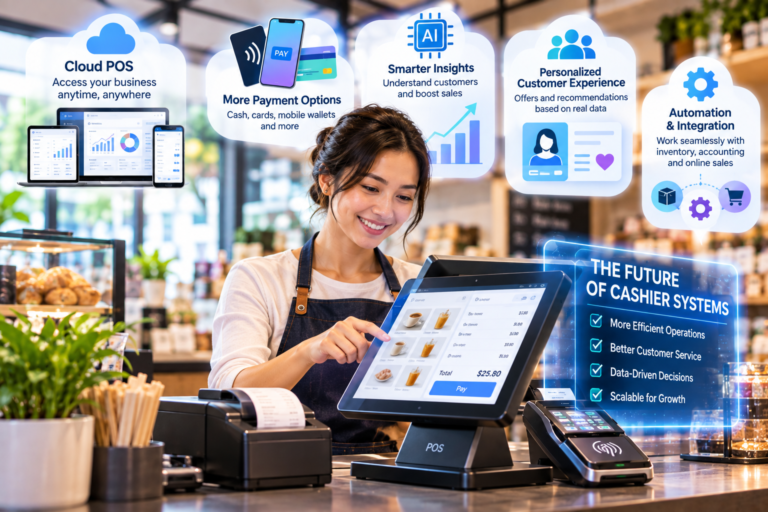
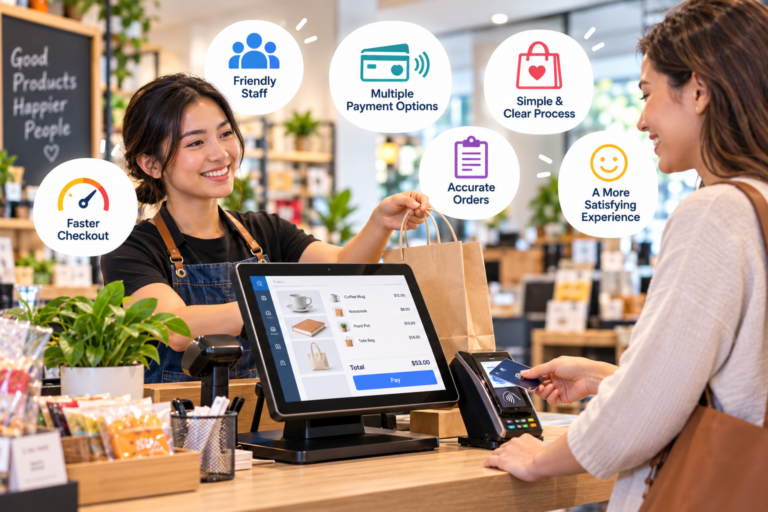
Payment processing is one of the most critical parts of a cashier system. A user-friendly application should support multiple payment methods, including cash, cards, and digital wallets.
The payment interface should be straightforward, with clear instructions and minimal steps. Automatic calculation of change and totals can further simplify the process.
By reducing complexity in payment processing, businesses can speed up transactions and improve customer satisfaction.
Error Prevention and Smart Alerts
A well-designed cashier application should include built-in error prevention features. These can help cashiers avoid common mistakes such as incorrect pricing, duplicate entries, or missing payments.
For example, the system can display alerts when an unusual transaction occurs or when a discount is applied incorrectly. These smart notifications act as a safety net and improve overall accuracy.
By preventing errors before they happen, businesses can reduce financial losses and improve operational reliability.
Easy Training and Onboarding
Small businesses often experience high employee turnover, making it important for cashier applications to be easy to learn.
A user-friendly system should require minimal training. Clear instructions, guided workflows, and intuitive design elements can help new employees quickly understand how to use the system.
Some applications also include tutorial modes or help sections that assist users during their first interactions with the system.
Mobile Compatibility and Flexibility
Modern cashier applications should be flexible enough to run on multiple devices, including tablets, smartphones, and desktop computers.
Mobile compatibility is especially important for small businesses that operate in dynamic environments such as food stalls, cafes, or pop-up stores.
A responsive design ensures that users can process transactions anywhere without being tied to a fixed checkout counter.
Offline Functionality for Reliability
Internet connectivity is not always stable, especially in small business environments. A user-friendly cashier application should include offline functionality to ensure uninterrupted operations.
When the internet is unavailable, the system should continue processing transactions and automatically sync data once the connection is restored.
This feature ensures reliability and prevents disruptions in business operations.
Customization for Business Needs
Every small business has different requirements. A flexible cashier application should allow customization of features such as product categories, pricing structures, and receipt formats.
Customization helps businesses adapt the system to their specific workflow, making it more efficient and relevant to their operations.
By allowing personalization, the application becomes more practical and user-friendly.
Security and Data Protection
Even small businesses handle sensitive customer and financial data. A user-friendly cashier application should include basic but strong security features such as password protection, user roles, and encrypted data storage.
Security should not complicate the user experience. Instead, it should work in the background to protect data without affecting usability.
Conclusion
Designing user-friendly cashier applications for small businesses requires a careful balance between simplicity, functionality, and efficiency. A well-designed system should be easy to use, fast, accurate, and adaptable to different business needs.
Key elements such as simple interfaces, barcode scanning, clear transaction displays, and flexible payment options all contribute to a better user experience. Additionally, features like error prevention, offline functionality, and easy onboarding make the system more practical for everyday use.
In a competitive market, small businesses that adopt well-designed cashier applications can significantly improve their operational efficiency, reduce errors, and enhance customer satisfaction. Ultimately, user-friendly design is not just about aesthetics—it is about creating a tool that truly supports business growth and success.
About the Author