Skip to content

Kasir.web.id

Cashier Apps and Development

Menu
  • Home
  • Cashier
  • Software
  • About Us
    • Contact Us
  • DMCA
  • Privacy Policy
  • Disclaimer
  • Terms and Condition
Menu

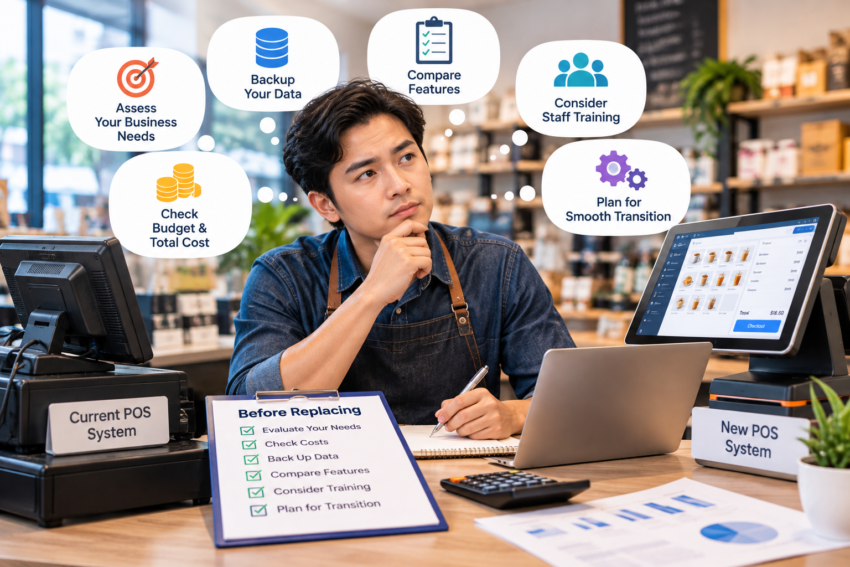
What Should You Do Before Replacing Your Current POS System?

Posted on October 16, 2026

A frustrating POS system can make replacement feel urgent.

But migrating without preparation can create a different set of problems.

Write Down What Is Wrong

Is the system actually slow?

Are reports inadequate?

Is support poor?

Are payment costs too high?

Does inventory management no longer fit the business?

Knowing the problem helps you evaluate replacements.

Identify Data You Need

Products, prices, inventory, customer information, historical transactions, employee accounts, and tax settings may need consideration.

Ask potential providers what can be imported and exported.

Avoid a Chaotic Launch

If possible, configure and test the new system before the old one disappears.

Check products, taxes, printers, scanners, payments, permissions, and receipts.

A migration should solve problems, not simply exchange old problems for new ones.

Leave a Reply Cancel reply

Your email address will not be published. Required fields are marked *

Categories

  • Cashier
  • Software

Explore

  • What Should You Do Before Replacing Your Current POS System?
  • How POS Data Can Help You Understand Your Customers
  • Is a Tablet POS System Enough for a Small Store?
  • How to Prevent Cash Drawer Shortages at the End of a Shift
  • Why Daily Cashier Reports Matter More Than You Think

Archives

  • October 2026
  • September 2026
  • August 2026
  • July 2026
  • June 2026
  • May 2026
©2026 Kasir.web.id | Design: Newspaperly WordPress Theme