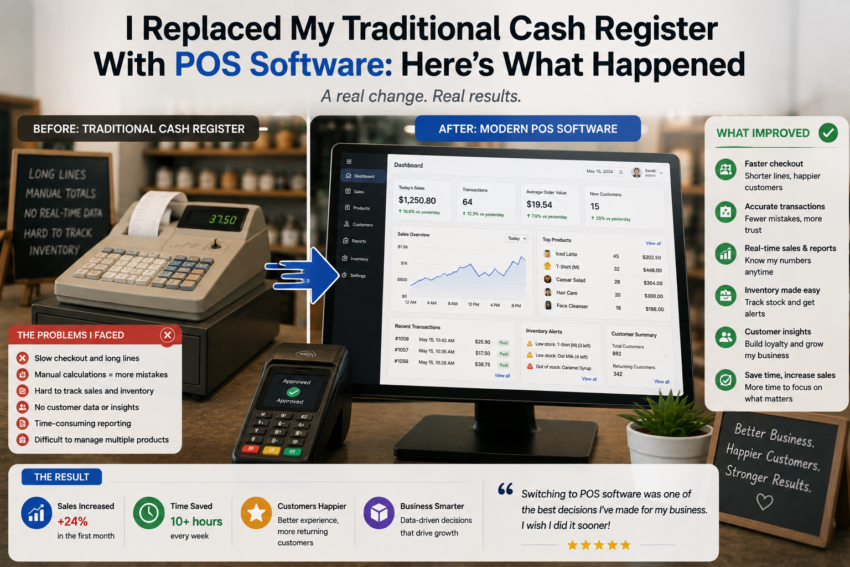
For a long time, my traditional cash register seemed perfectly adequate. It handled the basics: calculating sales, accepting payments, and helping me keep the checkout process moving. I knew how to use it without thinking, and there was something reassuring about its simplicity.
But as daily sales became more demanding, I started noticing its limitations. I wanted better records, easier inventory tracking, and more information about what was happening in the business.
That was when I decided to replace my traditional cash register with a modern POS system.
I expected the transition to be useful, but I did not realize how much it would change my daily workflow.
The First Step Was Preparing Everything
Before switching completely, I had to prepare the information that would go into the new system.
This included product names, prices, categories, inventory information, and payment settings.
It was tempting to rush through this process because I wanted to start using the software immediately.
That would have been a mistake.
I quickly learned that accurate setup is one of the most important parts of implementing POS software. If product information is incorrect, the system cannot magically fix it.
Taking time to organize the catalog before going live made the later experience much smoother.
My First Day Felt Slower
The first day was surprisingly different.
With the traditional cash register, I knew exactly what to do.
The POS software had more options, menus, and screens.
The first few transactions took longer because I was still learning where everything was located.
At first, I wondered whether switching had actually been a good idea.
But after several days, the process became much more familiar.
The learning curve was temporary, while the benefits became more noticeable with regular use.
Checkout Became More Organized
Once I became comfortable with the interface, the checkout process started to feel easier.
Products could be selected from the catalog, totals were calculated automatically, and transaction information was recorded digitally.
This reduced the need for manual calculations.
It also created a clearer record of every sale.
The difference was especially noticeable when I needed to review something that had happened earlier.
Instead of relying on memory or searching through paper records, I could look at the transaction history.
Inventory Was the Biggest Improvement
The biggest change came from inventory management.
With the traditional cash register, sales and inventory could feel like separate responsibilities.
The POS system connected them more closely.
Depending on the configuration, selling a product could automatically update its inventory information.
This made it easier to see which products were moving quickly and which ones needed attention.
I began using inventory information to think more carefully about purchasing decisions.
Rather than simply guessing what needed to be reordered, I could use sales activity as part of the decision-making process.
Reports Gave Me a Different Perspective
The reporting features were another major improvement.
Previously, I focused mainly on how much money had been collected during a day.
The POS system provided more information.
I could review sales activity, transaction history, and product performance.
This changed the way I looked at business data.
Instead of asking only, “How much did I sell?” I could ask more useful questions.
Which products performed best?
When were sales strongest?
Which items were not moving as expected?
These questions helped turn ordinary transaction records into information that could support business decisions.
Customers Benefited Too
I also noticed changes in the customer experience.
A well-configured POS system can make checkout faster and more consistent.
Product information is easier to access, totals are calculated automatically, and receipts can be generated through available digital or printing options.
However, technology can also create problems.
If the software becomes slow or a payment connection fails, customers may experience delays.
This taught me that reliability is just as important as functionality.
Employees Needed Time to Adapt
If you have employees, switching systems affects more than the owner.
Everyone who uses the checkout needs to learn the new workflow.
I found that training was easier when employees were taught the most common tasks first.
There was no need to explain every advanced feature immediately.
Once basic transactions became familiar, additional functions could be introduced gradually.
This reduced confusion and helped employees become comfortable with the new system.
Cloud Access Was Convenient
One feature I appreciated was the ability to access relevant business information through supported devices.
With a cloud-based system, information is not necessarily limited to the physical checkout counter.
This can be useful when reviewing sales away from the store.
However, cloud access also means that account security and reliable internet connectivity become important considerations.
I learned that convenience and responsibility go together.
Some Features Were Completely Unnecessary
One thing I did not expect was how many POS features I would eventually ignore.
Modern systems can include advanced analytics, customer loyalty programs, marketing tools, integrations, employee management, and automation.
Some businesses may need all of these.
I did not.
I found that keeping the system simple made daily operations easier.
This became one of my most important lessons: do not use a feature simply because it exists.
What Happened After the First Month?
After about a month, I was no longer thinking about the POS system as new technology.
It had simply become part of the routine.
Transactions were easier to review, inventory information was more accessible, and sales reports provided a clearer picture of business activity.
The transition had required patience, but the long-term workflow was more organized.