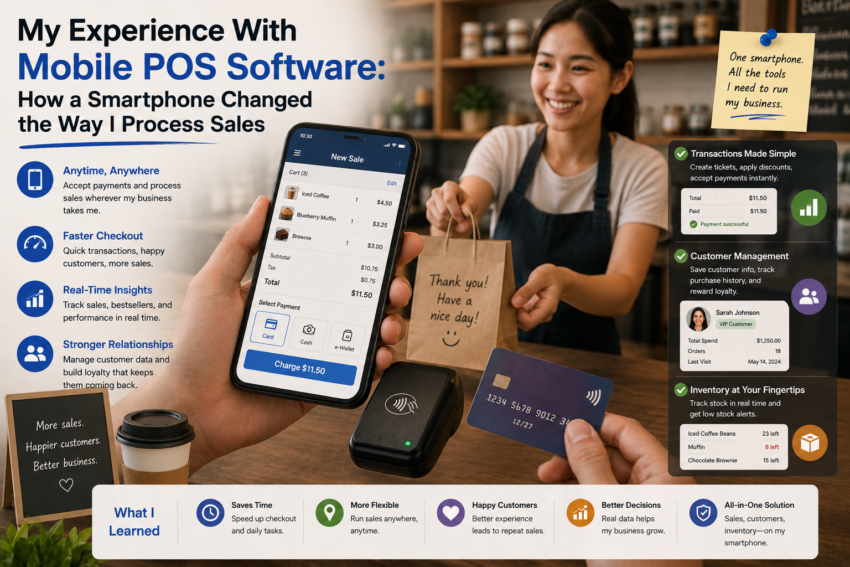
For a long time, I associated point-of-sale systems with a fixed counter, a large screen, a receipt printer, and a traditional cash register. The idea of processing sales through a smartphone seemed more like a temporary solution than a serious business tool.
That perception changed when I decided to try mobile POS software.
Instead of relying entirely on a traditional checkout station, I used a smartphone-based POS application to manage sales, products, payments, and transaction records. After using it regularly, I discovered that the biggest advantage was not simply portability. It was the freedom to rethink where and how a sale could happen.
My First Impression Was Surprisingly Simple
The first thing I noticed was how familiar the device felt.
I already used my smartphone every day, so interacting with a touchscreen POS application did not require learning completely new hardware.
The application provided access to product information, checkout functions, and transaction records from a device that could fit in my pocket.
Of course, the experience depended heavily on the quality of the software and the device being used.
But the basic concept was surprisingly straightforward.
Instead of walking customers toward a fixed cash register, the checkout process could potentially happen wherever the business needed it.
Mobility Became the Biggest Advantage
The most obvious benefit was mobility.
A traditional checkout counter keeps the transaction process in one location.
A smartphone-based POS system provides much more flexibility.
Depending on the business and payment setup, sales can potentially be processed at events, temporary locations, markets, service areas, or directly in front of customers.
I quickly realized that this could be particularly useful for businesses that do not operate from a traditional retail counter.
The smartphone became more than a communication device.
It became a portable business tool.
Product Search Made Checkout Easier
Another feature I appreciated was product search.
Instead of manually calculating prices, I could search for products in the application and add them to the transaction.
Product categories made navigation easier when the catalog became larger.
This also reduced the chance of forgetting prices or entering incorrect amounts manually.
However, the system was only as accurate as the product information stored inside it.
That meant keeping the catalog updated was an important part of using the software effectively.
Inventory Information Was Always Nearby
One of the unexpected advantages of mobile POS software was having inventory information available on the same device.
When products are connected to inventory records, sales can provide a clearer picture of what is available.
This was useful when I needed to check product availability without returning to a computer.
For businesses that frequently move around, having this information accessible from a smartphone can save considerable time.
It also made inventory feel less like a separate administrative task and more like part of the everyday sales process.
Payments Became More Flexible
Mobile POS software can support various payment methods depending on the application, hardware, location, and payment provider.
This can make the checkout experience more flexible.
However, I learned that payment functionality should never be evaluated based solely on what an application advertises.
Businesses need to check whether specific payment methods are actually supported in their market and understand applicable fees and requirements.
Connectivity also matters.
A payment system is only useful when transactions can be processed reliably.
Receipts Became Less Dependent on Paper
Another small but useful change was digital receipts.
Instead of always depending on printed receipts, modern POS applications may allow receipts to be delivered digitally, depending on the available features.
This can reduce paper use and make transaction records easier to organize.
For customers who prefer digital records, it can also be more convenient.
Still, some situations may require printed receipts, so having appropriate options remains useful.
The Smartphone Had One Major Weakness
Using a smartphone as a POS device also revealed a limitation.
A smartphone is designed to do many things.
Messages, calls, notifications, social media, email, and other applications can compete for attention.
A dedicated POS device is more focused.
I learned that a mobile POS setup requires discipline.
Unnecessary notifications should be disabled, the device should be charged, and the POS application should be easy to access when customers are waiting.
Battery Life Suddenly Mattered
Battery life became another consideration I had not previously thought much about.
When a smartphone becomes part of the checkout process, running out of battery can become a business problem.
I started treating charging as part of the daily preparation routine.
For businesses using mobile POS regularly, having a charger or suitable backup power source nearby is a practical precaution.
Security Became More Important
A smartphone used for business can contain valuable information.
That made security more important.
I became more conscious about screen locks, account passwords, user permissions, software updates, and the information accessible through the device.
A lost personal phone is inconvenient.
A lost device containing business information can create much more serious problems.
It Did Not Replace Traditional POS in Every Situation
Despite the advantages, I would not say mobile POS is automatically better than traditional POS.
High-volume businesses may still benefit from dedicated hardware, larger displays, barcode scanners, cash drawers, and receipt printers.
Mobile POS works particularly well when portability and flexibility are important.
The right choice depends on the business model.